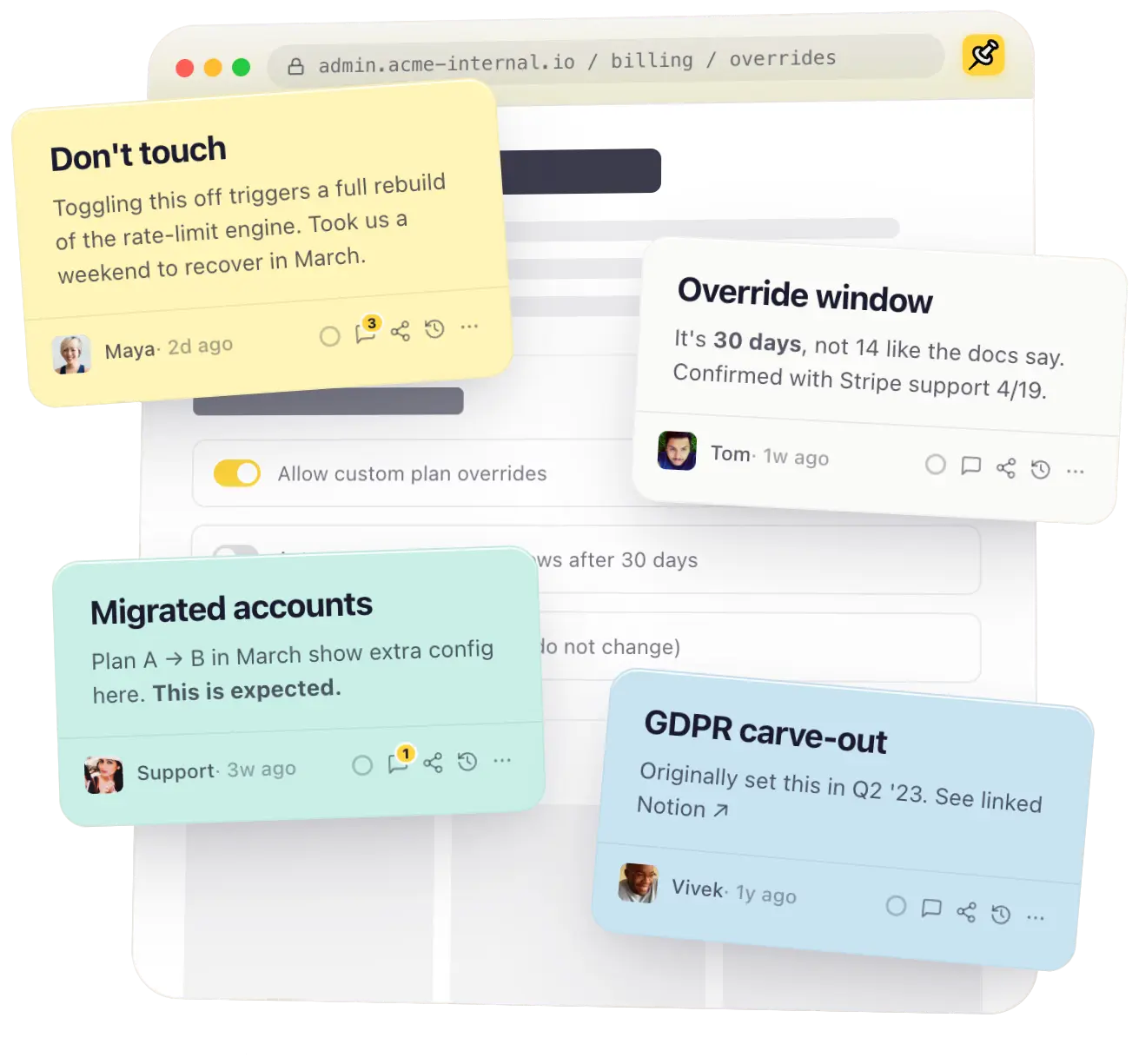
Tackt sticky notes pinned to an internal admin page

Powerful notes
for your team
on every website

Tackt is a Chrome extension for pinning powerful notes onto any website. Rich text, images, video, threaded comments, @mentions, password locks, and version history - tacked to the exact page your team needs, every time they visit a site.

The advantage

A note on a page beats a Slack thread every time.

Notes are pinned directly to the web page/web app, not buried in a doc. Open the page, get the context. Newbies are caught up to speed quickly. Engineers prevent admins from making unintended changes. Everyone wins.

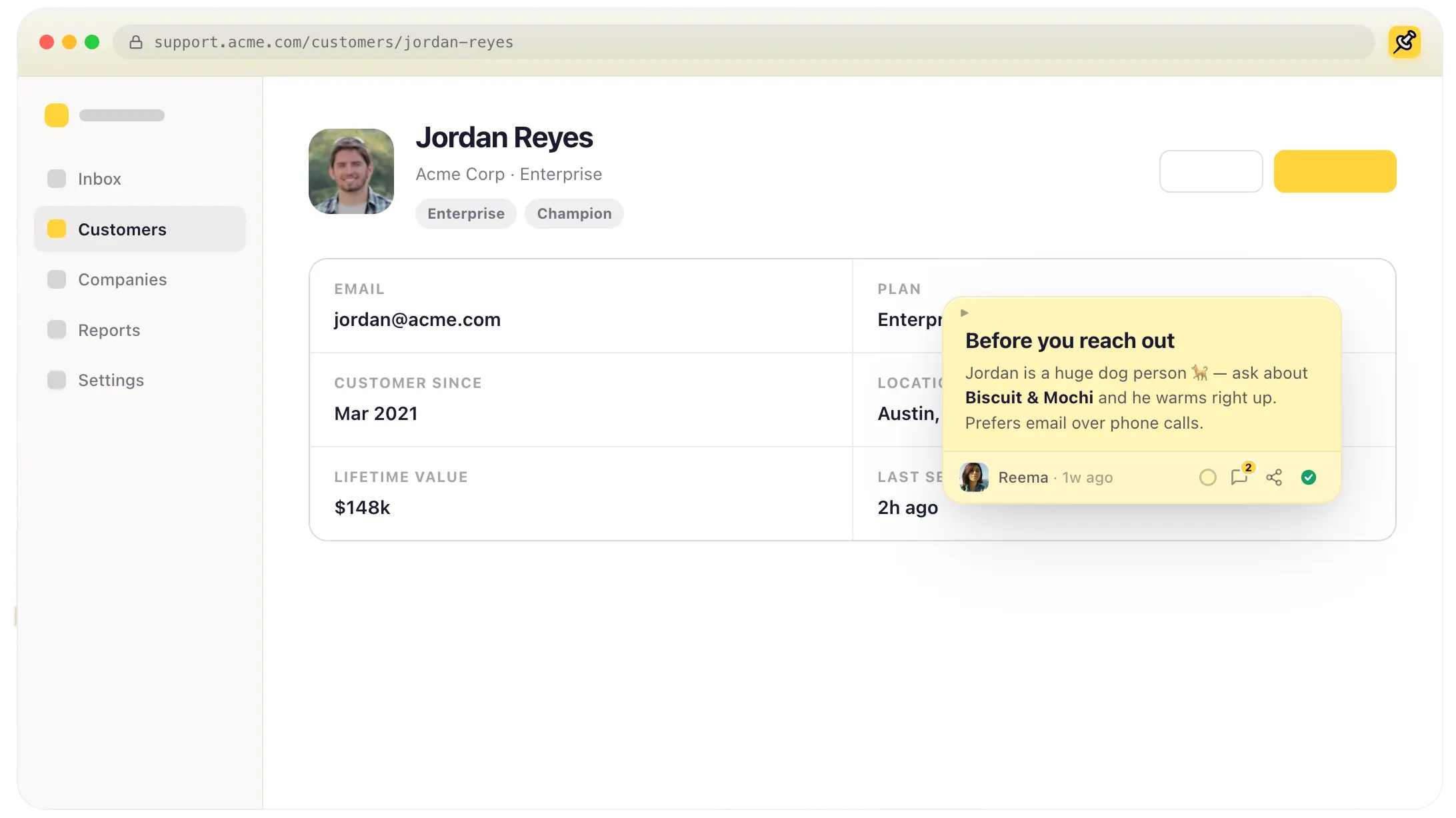
support.acme.com/customers/jordan-reyes
Jordan Reyes
Acme Corp · Enterprise
EnterpriseChampion
Email
jordan@acme.com
Plan
Enterprise
Customer since
Mar 2021
Location
Austin, TX
Lifetime value
$148k
Last seen
2h ago
Before you reach out
Jordan is a huge dog person 🐕 — ask about Biscuit & Mochi and he warms right up. Prefers email over phone calls.
Reema · 1w ago
2
A Tackt sticky note pinned to a real web app
How it works

Shared context in three steps.

⭐ A Team plan feature

No setup, no training. On the Team plan, everyone in your workspace sees the same notes the moment they open a page. (Solo? Free and Pro keep your notes private to you.)

1

Install the extension

Everyone on your team adds Tackt to Chrome — a quick, one-click install from the Chrome Web Store.

Add to Chrome
2

Join the same organization

On the Team plan, sign in and land in one shared workspace with your teammates.

3

Pin a note — everyone sees it

Drop a note on any page. Every teammate who opens that page sees it there automatically, and it stays put for good.

Don't touch
Weekend rebuild if you do.
Don't touch
Weekend rebuild if you do.
Same org, same note

Try it out!

These are real notes, the same ones you get with the extension. Edit the text, drag them around, resize them, leave a comment. Everything resets when you refresh, so explore freely.

Sound familiar?

The questions that come up when the context is gone.

Every setting, dashboard, and account raises questions. Today they get asked in Slack — or never asked at all. Tackt puts the answer right where the question comes up.

Built for teams

Memory that
survives turnover.

Veterans leave. Vendors change names. Settings outlive the meeting that decided them. Tackt makes the context visible to anyone who lands on the page.

SHARING & PRIVACY Team & up

Auto-shared with your team, or only yourself.

Save a note and everyone who lands on that URL sees it. No share button, no Slack ping. Need more privacy? Make any note private, or share it with only a few people.

Auto-renew override
Required for grandfathered EU plans. Don't disable.
Maya · 2h ago
3
Everyone in Acme
Private — only me
Specific people
COMMENTS & @MENTIONS Team & up

In-note conversations.

Discussion threads live on the note. Mention a teammate and respond to questions.

Comments 3 ×
2 people · last active now
Tom8mAUTHOR
Is this still true after the Q1 migration?
Mayanow
@Tom yep.
@
LIVE EDITING Team & up

Collaborate in real-time.

Colored cursors show exactly where - and what - teammates are typing.

Override window
It's 30 days, not 14 like the docs say.
Confirmed with billing on the last sync call.
Don't ship the old 14-day copy.
Maya · now
TEAM-SCOPED SEARCH Team & up

Find any note your team has ever written.

Full-text search across every note shared in your org.

A
GDPR carve-out
admin.acme-internal.io
S
Override window
dashboard.stripe.com
N
NET-60 terms
internal.acme.com
FOLDERS Pro & up

Keep it all tidy.

Group notes into folders by project or client.

Engineering 24
Q3 launch 12
Onboarding 8
VERSION HISTORY Pro & up

Rewind any note.

Notes save versions regularly. Restore an earlier version in a click.

2h ago
Maya Chen
Restore
1d ago
Tom Okafor
Restore
SHARE LINKS Pro & up

Share beyond the org.

View-only links for anyone. On Pro and up: add a password and an expiration.

THE DASHBOARD

Every note, every site — one home base.

Available on every plan, Free included — browse your notes, manage billing, and track storage. Pro and up adds full-text search and folders to organize everything; Team adds member management.
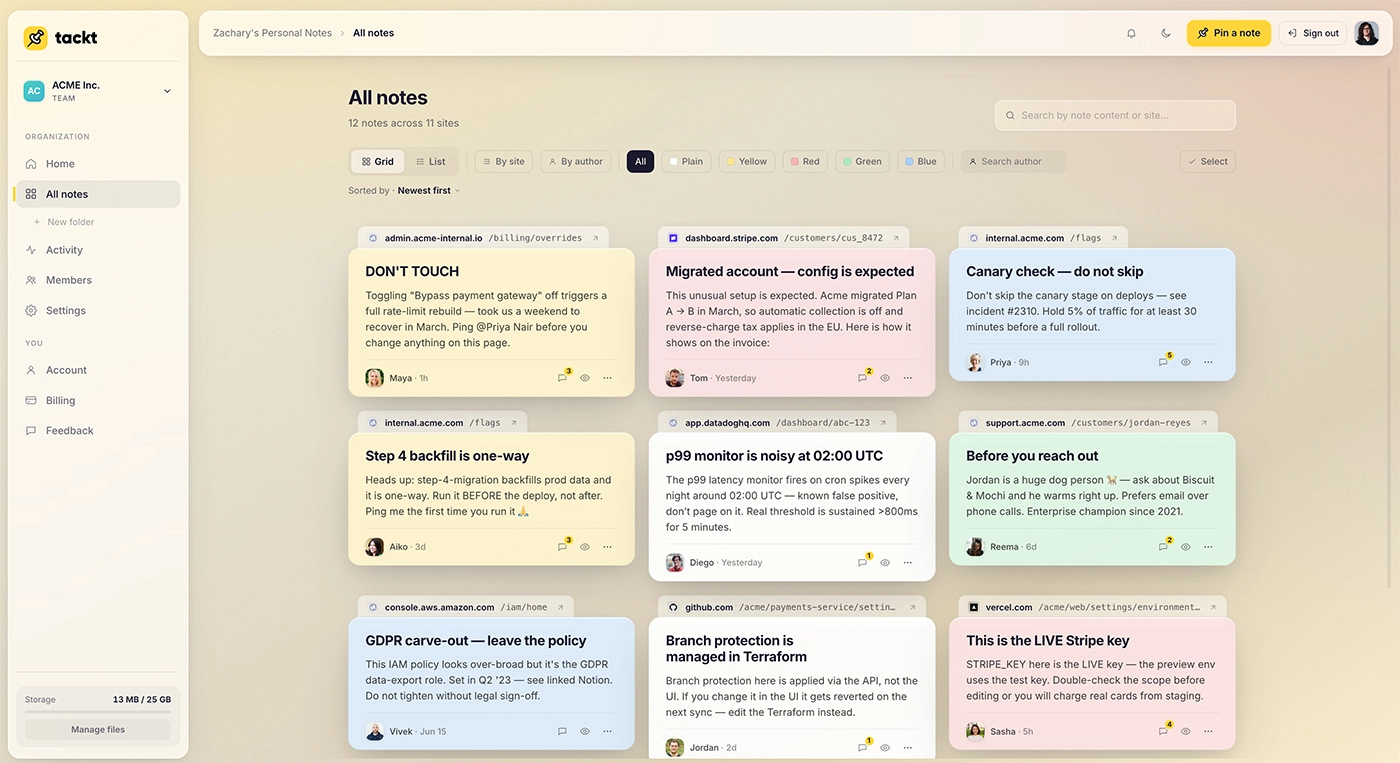
dashboard.tackt.to
The Tackt dashboard showing a team's notes across sites, with a sidebar for folders, members, activity, and billing
Flying solo? You're invited.

A personal knowledge layer over the entire web.

Even without a team, Tackt is the note-taking app you didn't know you wanted. Annotate research papers. Leave breadcrumbs in your favorite docs. Mark up that one obscure config page you keep coming back to.

  • 📓
    Notion-style block editor
    Headings, lists, images, attachments, on any site.
  • 🗂
    Folders & full-content search
    Find that thing you noted three months ago in 0.4 seconds.
  • ☁️
    Sync everywhere you sign in
    Notes follow you across browsers and devices.
Pricing

Solo to Teams

Start free, forever. No account needed. Upgrade for robust team features.

Free

Get a feel for it.

Up to 25 notes. No card required. No account required for basic features. Free account required for note syncing.

$0/forever
  • 25 notes
  • Rich-text Notion-style blocks
  • Sync across browsers & devices (free account required)
  • Unlimited sharing (view-only)
  • Sign in with Google
Add to Chrome
Pro

For solo power users.

Unlimited notes, folders, and 30 day version history.

$6 $4.80 /mo, billed yearly
  • Everything in Free
  • Unlimited notes
  • 10 GB media storage
  • Folders + full-content search
  • 30 day version history
  • Password-protected & expiring share links
Add to Chrome - Upgrade in Dashboard
FAQ

Questions, answered.

Notes are tacked to the web page. The web page owner can't see them, only you and your team. They sync to your Tackt account and follow you across devices.
Yes. Notes belong to the org once shared. When someone leaves, their notes stay.
No. Tackt notes live entirely on your device and your team's account. The website you're annotating sees nothing.
It's on our roadmap. Stay tuned!.
Yes! Every plan can generate share links. Pro and above can password-protect and expire them. Recipients are always view-only and can "Save a copy" into their own account.

Pin the context.
Free your team.